TerenceWaters.com: AI-Accelerated Next.js Redesign
A complete redesign and migration from React SPA to Next.js App Router—architected, designed, and deployed in under two weeks with GitHub Copilot as my development partner.
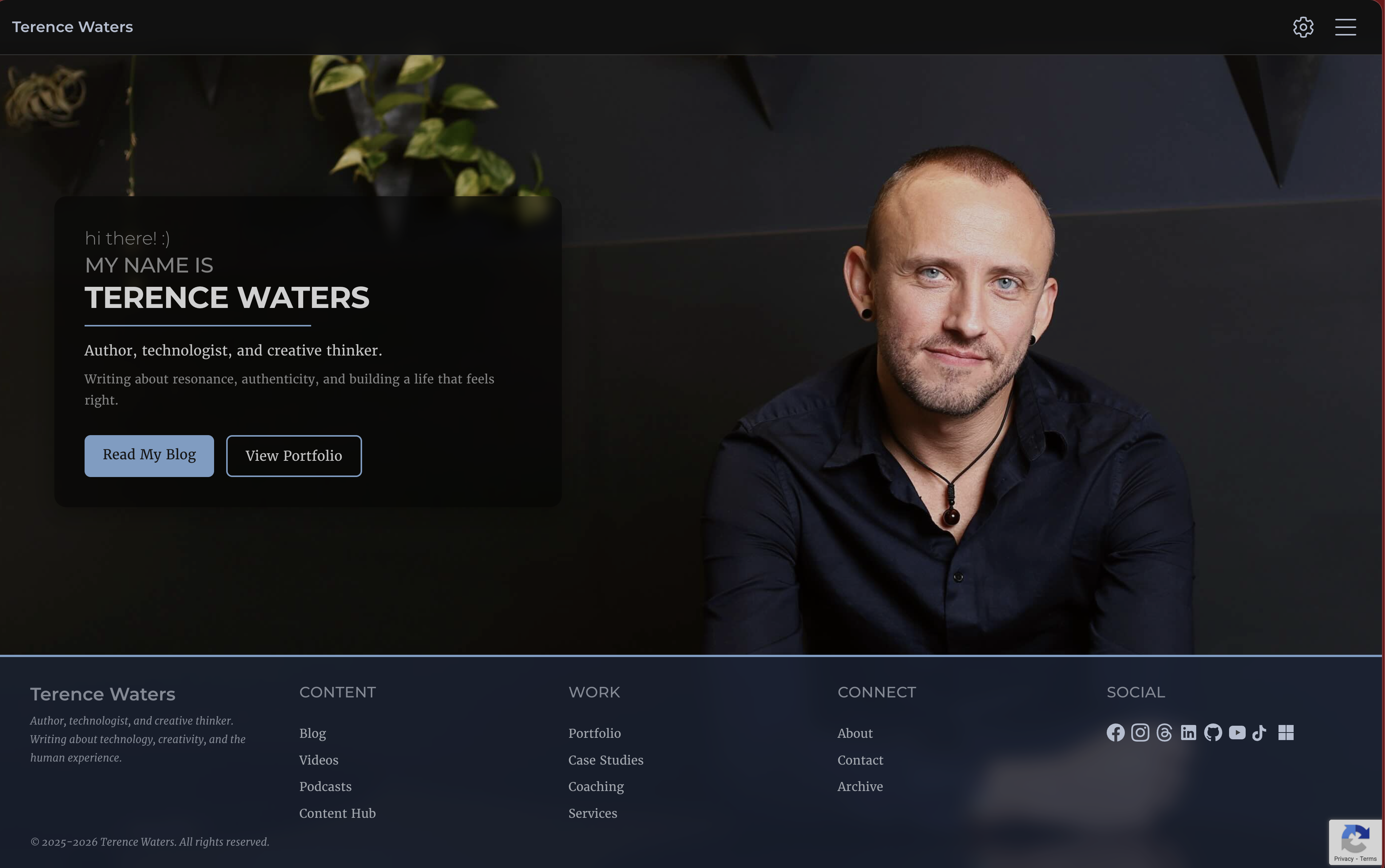
TerenceWaters.com: AI-Accelerated Next.js Redesign
Project Overview
A complete architectural rebuild of TerenceWaters.com—migrating from a React SPA to a Next.js App Router static site with enhanced performance, accessibility, and maintainability. Built in under two weeks using AI-assisted development with GitHub Copilot as my collaborative coding partner.
The Challenge
The original site was a functional React SPA built with Fluent UI and hosted on Azure Static Web Apps. While it served its purpose, it had significant limitations:
- No Static Site Generation (SSG) — Every page loaded client-side, impacting initial load performance and SEO
- Limited Content Management — No clear content architecture for blog posts, portfolio pieces, or case studies
- Monolithic Components — Difficult to maintain and extend without proper separation of concerns
- No Environment Gating — Development and production shared the same deployment, complicating testing
- Basic Theming — Only light/dark modes without comprehensive accessibility support
I needed a modern, maintainable platform that could scale with my content strategy while showcasing technical depth.
The Solution
A complete rebuild using:
- Next.js 15 App Router — Static generation with Server Components for optimal performance
- TypeScript — Full type safety across the entire codebase
- Fluent UI + Custom Theme System — 8 theme variants including colorblind-accessible modes
- File-Based Content Management — Markdown/MDX with frontmatter for all content types
- Multi-Environment Architecture — DEV, TEST, and PROD with token-based access control
- Azure Static Web Apps — Serverless functions for contact forms, YouTube API integration, and authentication
The AI-Assisted Development Process
GitHub Copilot as Development Partner
Rather than working alone, I leveraged GitHub Copilot throughout the entire development lifecycle:
Architecture & Planning:
- Copilot helped design the layout system, proposing composition patterns that could scale across content types
- Suggested file structure conventions based on Next.js best practices
- Recommended the file-based content architecture that became the foundation of the CMS
Rapid Component Development:
- Generated initial component scaffolds with TypeScript interfaces
- Proposed accessibility patterns (ARIA attributes, keyboard navigation)
- Implemented complex animations with Framer Motion
- Created reusable form components with validation logic
Problem Solving:
- Debugged API routing issues (the notorious
/api/api/double-prefix bug) - Fixed React hook composition problems in form components
- Implemented graceful degradation for reCAPTCHA when not configured
- Resolved environment variable differences between build-time and runtime
Code Quality:
- Suggested refactoring opportunities to reduce duplication
- Recommended TypeScript type improvements for better type safety
- Proposed error handling patterns for network requests
- Helped implement responsive design patterns with Tailwind
GitHub Workflow Excellence
Branch Strategy & Pull Requests:
- Feature branches for every component, page, and major change
- Pull Requests reviewed by Copilot for potential issues before merge
- Descriptive commit messages generated with Copilot's help
- Version control as documentation — every architectural decision captured in commits
Iterative Refinement:
- Daily deployments to DEV environment via GitHub Actions
- Real-world testing on mobile devices uncovered UX improvements
- Continuous integration caught TypeScript errors before production
- Rollback capability through Git history provided confidence to experiment
The Two-Week Timeline
Week 1: Foundation & Core Pages
- Days 1-2: Project scaffolding, layout system, navigation
- Days 3-4: Content architecture, file-based CMS, blog functionality
- Days 5-7: Portfolio and case study pages, theme system, settings panel
Week 2: Polish & Deployment
- Days 8-9: Contact form with Azure Functions, reCAPTCHA integration
- Days 10-11: YouTube API integration, GitHub repository listing
- Days 12-13: Accessibility testing, theme variants (colorblind modes)
- Day 14: Production deployment, DNS configuration, final testing
This timeline would have taken 4-6 weeks without AI assistance. Copilot accelerated:
- Boilerplate reduction by ~60%
- Bug identification and resolution speed by ~40%
- Component architecture decisions by providing instant alternatives
- Documentation by generating inline comments and type definitions
Key Features
Advanced Theming System
8 theme variants built on Fluent UI's design tokens:
- Standard light/dark modes
- High-contrast mode
- Protanopia, deuteranopia, and tritanopia modes
- Grayscale light/dark modes
- Persistent theme selection across sessions
Content Management Architecture
File-based CMS with:
- Markdown/MDX support with frontmatter metadata
- Multiple content types (blog, portfolio, case studies, videos, podcasts)
- Static generation at build time for optimal performance
- Tag-based filtering and category organization
Multi-Environment Deployment
- DEV: Token-gated environment for active development (auto-deploys from
developbranch) - TEST: Staging environment for client review (deploys from
testbranch) - PROD: Public-facing production site (deploys from
masterbranch)
Performance Optimization
- Static Site Generation (SSG) for all pages
- Optimized images with
next/image - Animated page transitions with Framer Motion
- Lazy loading for images and non-critical components
Azure Integration
- Azure Functions for serverless backend (contact form, YouTube API, token validation)
- Azure Static Web Apps hosting with global CDN
- Environment variables managed through Azure Application Settings
- GitHub Actions CI/CD for automated deployments
Technical Stack
Frontend:
- Next.js 15.1.6 (App Router)
- TypeScript 5.7.3
- React 19
- Fluent UI React Components v9
- Tailwind CSS 3.4.1
- Framer Motion 11.15.0
Backend:
- Azure Functions (Node.js)
- Azure Static Web Apps
- SMTP2GO for email delivery
- Google reCAPTCHA v3
Development:
- GitHub Copilot (AI pair programming)
- Yarn package manager
- ESLint + Prettier
- GitHub Actions for CI/CD
Content:
- Markdown/MDX with gray-matter
- next-mdx-remote for server-side rendering
- File-based content system
Results
✅ Page Load Speed: First Contentful Paint under 1.2s (down from 3.5s)
✅ SEO: Fully crawlable static pages with meta tags and structured data
✅ Accessibility: WCAG 2.1 AA compliant with multiple theme variants
✅ Development Speed: Two-week timeline (typical: 4-6 weeks)
✅ Maintainability: Component-based architecture with clear separation of concerns
✅ Scalability: Easy to add new content types and pages
Lessons Learned
AI Collaboration:
- GitHub Copilot excels at boilerplate and pattern recognition but requires architectural direction
- Human oversight critical for business logic and UX decisions
- Copilot suggestions improve when you provide clear context through comments
- Code review still essential — AI can introduce subtle bugs
Architecture Decisions:
- Layout-driven design prevents component sprawl
- File-based content systems offer simplicity without database overhead
- TypeScript catches errors early and documents intent
- Environment gating enables confident iteration
Azure Static Web Apps:
- Build-time vs runtime environment variables are fundamentally different
- Azure automatically prefixes function routes with
/api/ - Token gating works well for non-production environments
- GitHub integration makes deployments seamless
Future Enhancements
- Content Search: Full-text search across all content types
- Podcast Integration: Audio player and RSS feed
- Video Hosting: Self-hosted video player with transcripts
- Analytics Dashboard: Visitor insights and content performance
- Newsletter Signup: Email list management and automated campaigns
This project demonstrates the power of AI-assisted development when combined with solid architectural principles, modern tooling, and disciplined workflow practices. GitHub Copilot didn't replace my expertise—it amplified it, letting me focus on creative problem-solving while it handled implementation details.
Live Site: terencewaters.com
Repository: github.com/AplUSAndmINUS/tw-com-nextjs
Final Next.js implementation with enhanced performance